

Owning a vehicle is a significant milestone. It brings freedom, convenience, and a sense of achievement. But, with this excitement comes essential legalities. The vehicle's
Owning a vehicle is a significant milestone. It brings freedom, convenience, and a sense of achievement. But, with this excitement comes essential legalities. The vehicle's Registration Certificate (RC) is among the most important. The RC proves ownership and ensures your vehicle complies with the law.
Did you know that over 2.39 million vehicles were registered in India in 2021 alone? Each of these vehicles required an RC. Whether you're buying a new car or transferring ownership, knowing how to get an RC is important. Continue reading to learn the steps, requirements, important details to secure your vehicle's RC book, and more.
How to Apply for a Vehicle RC?
Getting your vehicle's Registration Certificate is a straightforward process if you follow these steps:
| Steps | Description |
|---|---|
| Visit the Nearby RTO | Start by visiting the Regional Transport Office (RTO) closest to you. |
| Vehicle Inspection | An RTO officer will inspect your vehicle to ensure it meets all necessary standards. |
| Submit Form 20 | Complete Form 20 and submit it with other required documents at the RTO. |
| Chassis Number Imprint | The RTO officer will take an imprint of your vehicle's chassis number for records. |
| Pay the Registration Fee | Finally, pay the necessary registration fee to complete the process. |
| Steps | Description |
|---|---|
| Visit the Nearby RTO | Start by visiting the Regional Transport Office (RTO) closest to you. |
| Vehicle Inspection | An RTO officer will inspect your vehicle to ensure it meets all necessary standards. |
| Submit Form 20 | Complete Form 20 and submit it with other required documents at the RTO. |
| Chassis Number Imprint | The RTO officer will take an imprint of your vehicle's chassis number for records. |
| Pay the Registration Fee | Finally, pay the necessary registration fee to complete the process. |
Documents Required to Obtain an RC
To get your vehicle registered, you will need to provide several documents. Here's what you need to prepare:
| Document | Description |
|---|---|
| Form 20 | A filled-out application form. |
| Form 21 | The sales certificate is issued by the vehicle dealer. |
| Form 34 | Needed if your vehicle is under a hire-purchase or lease agreement. |
| Form 22 and 22A | Certificates of roadworthiness issued by the manufacturer. |
| PAN Card | Your Permanent Account Number card for tax purposes. |
| Passport Size Photographs | Keep a few recent photographs handy. |
| Vehicle Invoice | The invoice provided by the dealer as proof of purchase. |
| Address Proof | Documents such as your utility bill, passport, or rental agreement to verify your address. |
| Document | Description |
|---|---|
| Form 20 | A filled-out application form. |
| Form 21 | The sales certificate is issued by the vehicle dealer. |
| Form 34 | Needed if your vehicle is under a hire-purchase or lease agreement. |
| Form 22 and 22A | Certificates of roadworthiness issued by the manufacturer. |
| PAN Card | Your Permanent Account Number card for tax purposes. |
| Passport Size Photographs | Keep a few recent photographs handy. |
| Vehicle Invoice | The invoice provided by the dealer as proof of purchase. |
| Address Proof | Documents such as your utility bill, passport, or rental agreement to verify your address. |
Details Included in the RC
The Registration Certificate smart card will have the following information:
- Registration Number
- Registration Date
- Engine Number
- Chassis Number
- Colour of the Vehicle
- Type of the Vehicle
- Seating Capacity
- Model Number
How to Change Details Mentioned on Vehicle RC?
If you need to update any details on your vehicle's Registration Certificate, follow these steps:
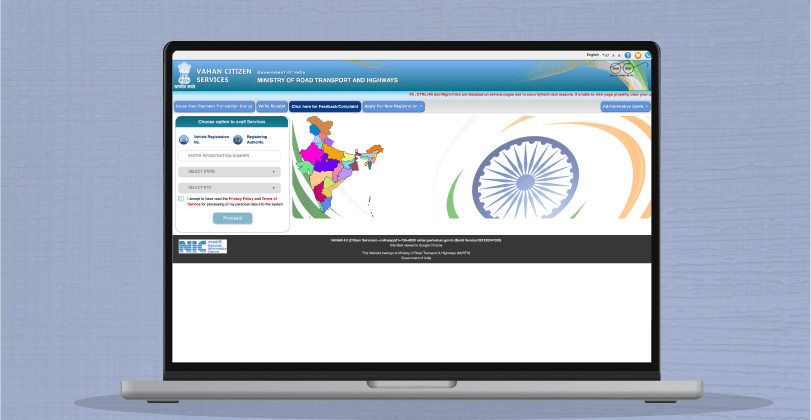
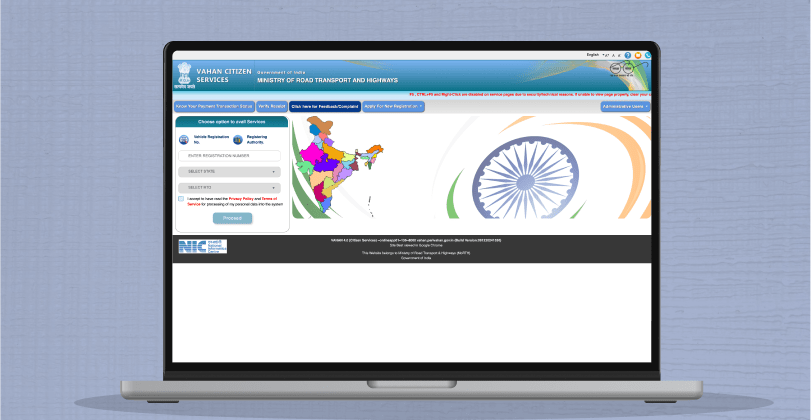
- Visit the Vahan Portal: Go to Vahan Parivahan.
- Enter Vehicle Registration Number: Input your vehicle registration number and click "Proceed".
- Select Basic Services: Choose the "Basic Services" option.
- Validate Chassis Number: Enter the last five digits of your chassis number. Then click on "Validate Regn_no/Chasi_no".
- Generate OTP: Generate and enter the correct OTP, and submit.
- Change Address: Select the "Change Of Address" option.
- Enter Service Details: Fill in the required service details.
- Update Insurance Details: Provide updated insurance information.
- Pay the Fee: Pay the fee as shown.
- Upload Documents: Upload the necessary documents and schedule an appointment.
How to Surrender the RC
To surrender your vehicle's Registration Certificate, follow these steps:
- Visit the Vahan Portal: Go to Vahan Parivahan.
- Enter Vehicle Registration Number: Input your vehicle registration number and click "Proceed".
- Select RC Surrender: Under "Online Services," choose the "RC SURRENDER" option.
- Validate Chassis Number: Enter the last five digits of your chassis number. Then click on "Validate Regn_no/Chasi_no".
- Generate OTP: Generate an OTP, enter it, and submit.
- Enter Service Details: Provide the necessary service details.
- Update Insurance Details: Fill in updated insurance information.
- Review Fee Panel: Check the fee details and proceed.
- Pay the Fee: Pay the fee as shown.
- Upload Documents: Upload the required documents and schedule an appointment.
How to Renew Vehicle RC?
Renewing your vehicle's Registration Certificate is crucial to ensure that your vehicle remains legally compliant. Follow these detailed steps to renew your vehicle RC:
- Visit the Nearby RTO: Visit the Regional Transport Office (RTO) closest to you. Check the RTO's working hours and any specific requirements they might have.
- Fill Out Form 25: Obtain and fill out Form 25 (application form for renewal of a vehicle RC). This form can be downloaded from the Parivahan website or collected from the RTO.
-
Submit the Required Documents: Submit the completed Form 25 along with the necessary documents:
- Original RC
- Pollution Under Control (PUC) Certificate
- Insurance Certificate
- Address Proof
- Identity Proof
- Passport Size Photographs
- Fitness Certificate (if applicable)
- Vehicle Inspection: An RTO officer will inspect your vehicle to ensure it is roadworthy and meets all necessary standards. This may include checking the engine, chassis number, and overall vehicle condition.
- Pay the Renewal Fee: Pay the required fee to renew the RC. The fee may vary depending on the type of vehicle and state regulations.
Important Tips:
- Check Expiry Date: Ensure you apply for renewal before your current RC expiry date to avoid penalties.
- Keep Copies: Make copies of all documents submitted for your records.
- Online Services: Some states offer online renewal services through the Parivahan portal, which can simplify the process.
Hit the Road with Confidence
Is your vehicle's RC up-to-date? Keep your documents in order by following the steps to apply for and renew your RC. Drive safely and confidently, knowing you're fully compliant with the law!
Before You Go...
- In need of funds? Apply for personal loans from ₹1,000 to ₹5 lakhs, fully online on KreditBee.
- Swift disbursal! Get your loan approved and disbursed within minutes, hassle-free.
- Tailored terms! Choose 3 to 36 months repayment periods with competitive interest rates starting at 17% p.a.
FAQs
Yes, the virtual RC on the mParivahan app is considered authentic proof in the country.
No, it would help if you carried the original RC with you. A photostat copy attested by a gazetted officer or notary does not suffice.
Check the colour of the stamp at the bottom of the certificate. If it's original, it will be purple.
Virtual RC and DL are digital versions of the vehicle registration certificate and driving licence available on the mParivahan app.
Under the MV Act, any police officer can check vehicle documents and driver's licences.
AUTHOR

KreditBee As a market leader in the Fintech industry, we strive to bring you the best information to help you manage finances better. These blogs aim to make complicated monetary matters a whole lot simpler.